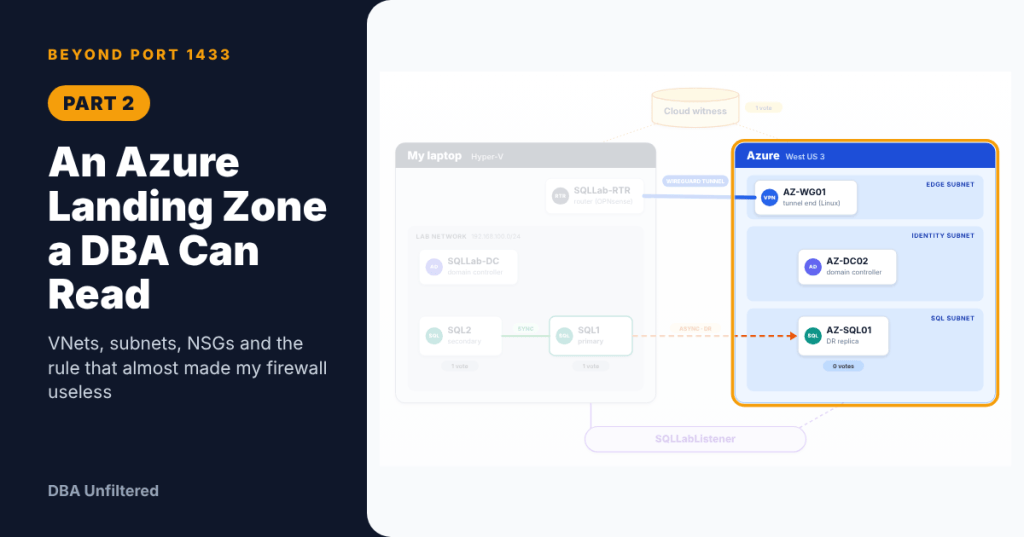
Part 2 of the Beyond Port 1433 series. New here? Start with Part 0.
VNet, subnet, NSG and UDR are four key acronyms that exist between me and my DR replica. The first time I started peering into the network world, trying to figure out the nuance how Azure networking impacts SQL Server was a confusing experience. Honestly, I didn’t know what the heck I was looking at. I found through this project, however, that success lies in the foundation. And, setting up that foundation makes all of the downstream processes much easier. This post is going to cover setting up that foundation in Azure. The empty network will harness all of our future objects.
A Useful Analogy
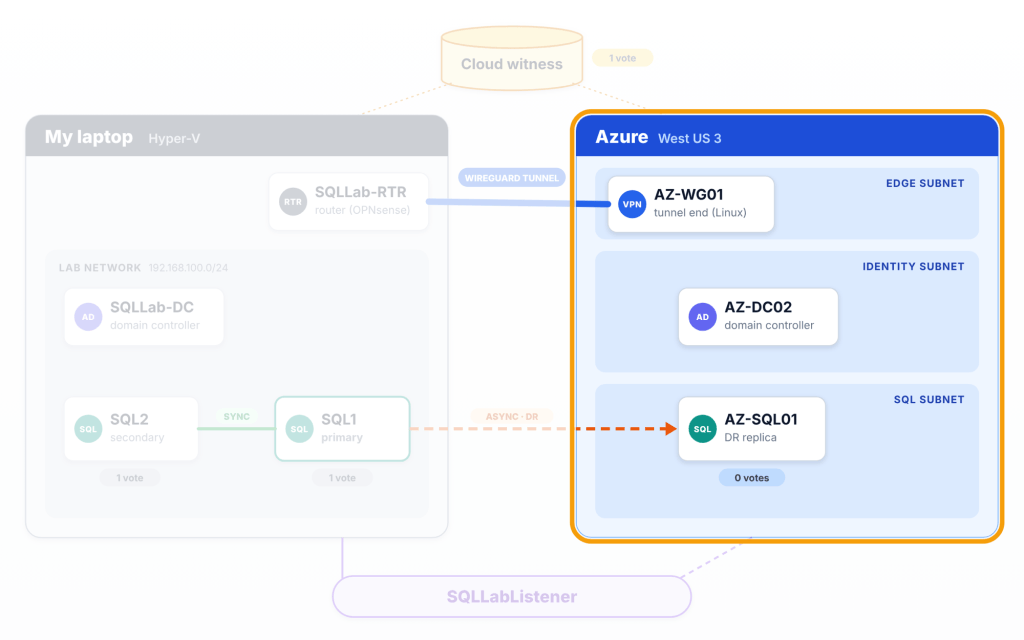
Personally speaking, approaching this in-depth for the first time was very confusing. Mentally keeping track of VNets, subnets, routing tables, user defined routes and more was a challenge. So, I like to make analogies to help me associate important components more easily. Think of the home lab running on Hyper-V as one neighborhood (192.168.100.x) and Azure is another neighborhood (10.20.x.x). Azure’s VNet is the second neighborhood and you can picture subnets as being streets, Network Security Groups (NSGs) as being gates on each street, the route table as a road sign, and the tunnel (introduced in Part 4) is the road between the neighborhoods.
An important concept to remember, is that the neighborhoods can’t share an address range (overlap). Otherwise, traffic wouldn’t know which way to go.
Building The Rules Of The Road Before We Build The Roads
Approaching this with an organizational and hierarchical mindset will make subsequent tasks we have to accomplish later on much easier. So, we are going to build this starting with the resource groups (logical containers for our resources), NSGs (protective rule sets that allow or deny specific traffic), route table (director telling traffic where to go) and then a storage account for our witness to live in later on. Doing it in this order allows building the VNet to be much easier because the wizard lets you attach an NSG and route table to each subnets as you create it.
Resource Groups Are Folders
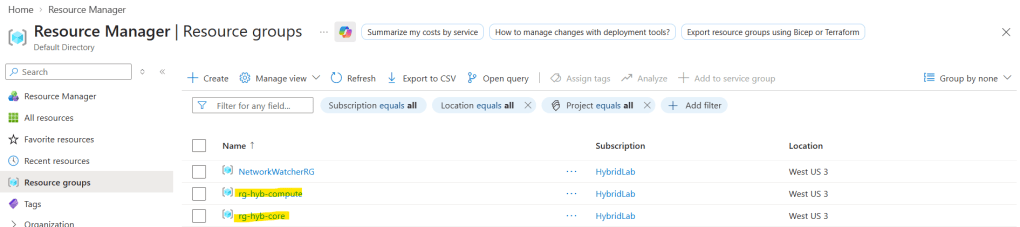
The resource group rg-hyb-core will hold the network and storage, while rg-hyb-compute will hold the VMs later on. Keep in mind that deleting a resource group will delete all resources within it. A powerful organizational tool.
Every resource will get the tag project = hybrid-ag-lab so when you get to Part 10, we will be able to filter costs to this project.
The Address Plan
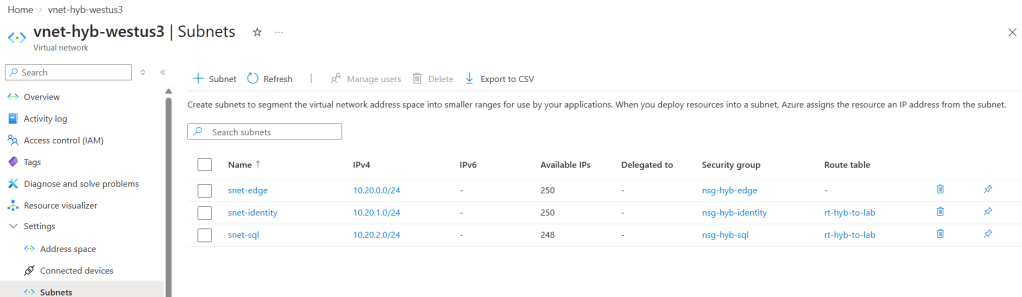
The Azure VNet is 10.20.0.0/16. Breaking this down, the first two numbers are fixed so there are about 65K addresses. Each subnet is a /24 slice of it (256 addresses).
Azure keeps 5 addresses in every subnets for itself (the first four and the last). This is why the first VM in a subnet usually ends on .4, and this will matter in Part 4 of the series.
10.20.x.x doesn’t overlap with the lab (192.168.100.x) or the home (192.168.0.x) so we’ll be good to go there.
| Subnet | Range | What lives there | NSG | Route table |
|---|---|---|---|---|
| snet-edge | 10.20.0.0/24 | AZ-WG01, the tunnel VM | nsg-hyb-edge | none |
| snet-identity | 10.20.1.0/24 | AZ-DC02, the Azure DC | nsg-hyb-identity | rt-hyb-to-lab |
| snet-sql | 10.20.2.0/24 | AZ-SQL01, the DR replica | nsg-hyb-sql | rt-hyb-to-lab |
NSGs: A Firewall At Every Street
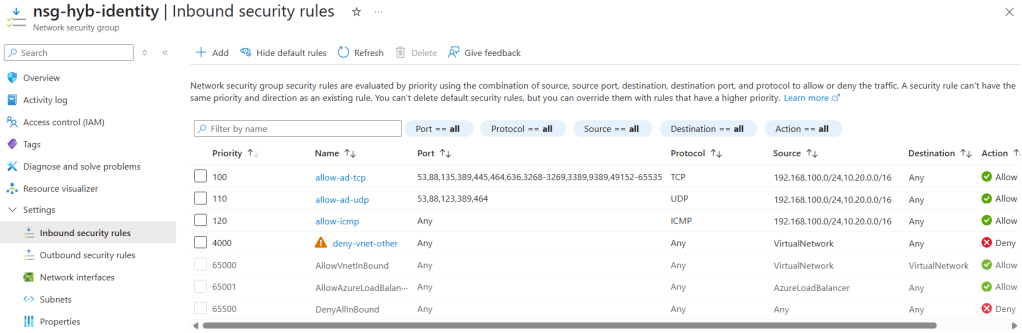
An NSG is a list of rules that are checked in priority order starting with the lowest number first. My rules have allows (traffic I want to enable to pass in) at 100 to 120. I have a deny rule (traffic I explicitly don’t want entering my network) at 4000. This will be expanded on in the next session. Azure has built-in rules at 65000 and up.
Every allow rule accepts traffic only from 192.168.100.0/24 (lab) and 10.20.0.0/16 (Azure). Nothing from the internet reaches SQL or the DC. Something to be aware of is that I explicitly allow ICMPv4 so that I am able to ping servers. I also allow source port * because the sender’s port will be random every time.
The portal lets one rule cover many ports, so each Network Security Group has a TCP rule, a UDP rule and an ICMP rule instead of many rules.
Here are all the relative ports in the nsg-hyb-sql Network Security Group that I think every DBA should be aware of when setting these up for Azure:
| Port | Protocol | What uses it |
|---|---|---|
| 1433 | TCP | SQL Server connections, including the listener |
| 5022 | TCP | The AG endpoint: the log stream between replicas |
| 3343 | TCP and UDP | Failover cluster heartbeats |
| 135 and 49152 to 65535 | TCP | RPC, used by cluster management |
| 445 | TCP | SMB, used by cluster validation and setup |
| 3389 | TCP | RDP from the lab through the tunnel |
| 5985 | TCP | WinRM for remote PowerShell (added in Part 6) |
| ICMP | ICMPv4 | Ping |
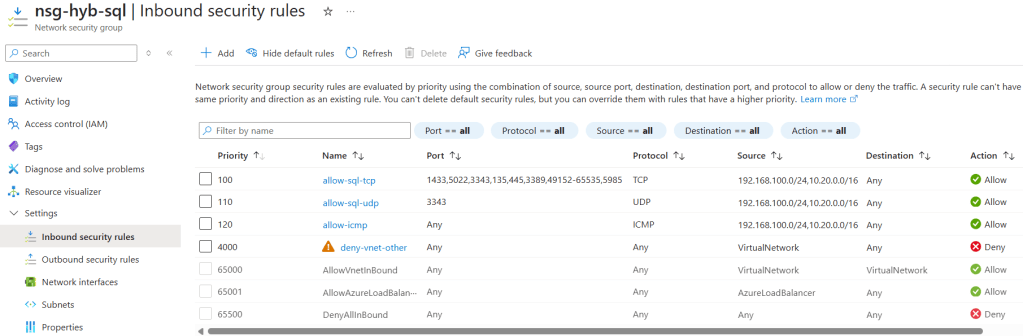
Note the last port for the allow-sql-tcp rule. 5985 wasn’t there on day one, but Part 6 will explain why it was added.
The Key Rule Of The Allow List
Every NSG contains a default rule at 65000. That rule is AllowVnetInBound which allows anything from the VirtualNetwork service tag. The kicker is that VirtualNetwork service tag isn’t just your VNet. According to Microsoft, it also includes connected on-prem ranges and address prefixes used on user-defined routes. My route table (next section) sends 192.168.100.0/24 through the tunnel, so the whole lab counts as “inside”.
Without a deny, any lab machine could reach any port on any Azure VM, and my intentional allow lists wouldn’t matter at all. The fix for this is the deny-vnet-other rule at priority 4000. So, my allows (100 to 120) match first and then anything else from “inside” hits the deny before Azure’s 65000 allow.
Microsoft’s service tags documentation
The Route Table: A Road Sign To The Lab
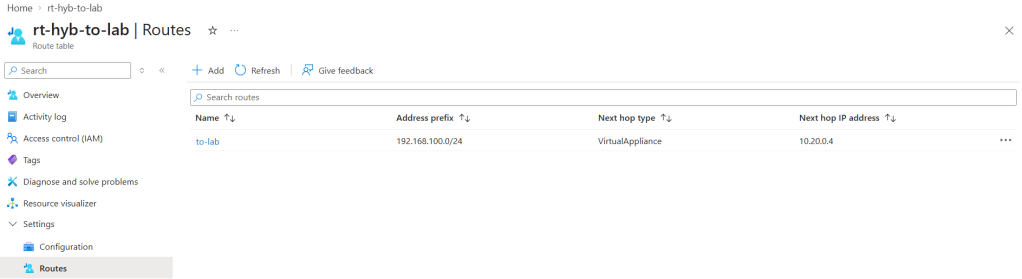
So, we will have one route called to-lab with address prefix 192.168.100.0/24. The next hop type will be virtual appliance, and the next hop will be 10.20.0.4 (where the tunnel VM will live). Until the Network Appliance VM AZ-WG01 exists, the sign points at nothing, which is completely fine. As mentioned before, we’re prepping everything so that when VMs are created later, the foundation is already done.
We do not want to propagate gateway routes because there’s no Azure VPN gateway. We didn’t go with an Azure VPN gateway because of the continued cost that it would be billing whether we are in a lab session or not. The subnet snet-edge gets no route table on purpose. The tunnel VM is the destination of the route and it can’t route traffic back to itself.
DNS That Points Home
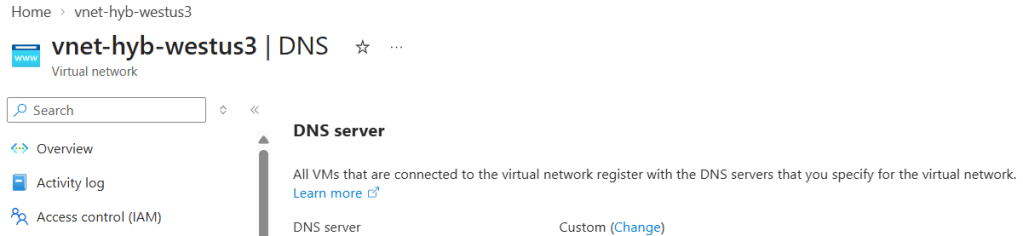
The VNet’s DNS servers are set to custom. The reason for that is because of the domain controllers so that Azure VMs can find sqllab.local and join the domain. One gotcha I ran into in the portal was in the current layout, DNS servers hide behind a Change link. This setting in particular caused sort of a chicken-and-egg issue in Part 4 when the tunnel VM couldn’t reach a DC that’s on the other side of the tunnel it’s building.
Storage For The Cloud Witness
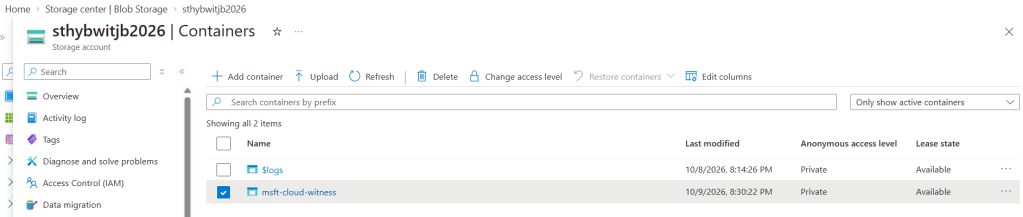
I’m moving my on-prem file share witness for the existing cluster to a cloud witness for this project. In order to do that a storage account is needed to become the cluster’s tie-breaker vote (more on this in Part 7). It will be Standard performance with locally redundant storage (LRS).
The subnet snet-sql gets a Microsoft.Storage service endpoint, so witness traffic from Azure stays on Microsoft’s network.
The Same Network But As Code
I wanted to build all of this in the portal first to get the reps in, and really see visually what I was creating. But, with that said, it’s not very repeatable and it’s tedious as can be. That’s where Microsoft has great Infrastructure as Code tooling. Converting this into a Bicep script allows for quick deployment of the described network foundation above. Here are some small excerpts from the same Bicep file I used (will include the full thing in later sections):
$sa = az storage account list -g rg-hyb-core --query "[0].name" -o tsvaz deployment group what-if -g rg-hyb-core -f .\core.bicep -p witnessStorageName=$saaz deployment group create -g rg-hyb-core -f .\core.bicep -p witnessStorageName=$sa
name: 'deny-vnet-other'properties: { priority: 4000 direction: 'Inbound' access: 'Deny' protocol: '*' sourceAddressPrefix: 'VirtualNetwork' sourcePortRange: '*' destinationAddressPrefix: '*' destinationPortRange: '*'}
A gotcha worth sharing is that my first Bicep script used one rule per port while the portal used combined rules, so they ended up drifting. The fix for that was destinationPortRanges with a list. The full core.bicep file will come in Part 10 and exists in the GitHub repo.
What I Changed Later
Hello all, this is Jordan from the future! I want to include some “oops changed this later” decisions that are relevant to flag here (that’s also why I was a nice guy and included the link to the full bicep file now just in case you’re throwing your hands up at me). The nsg-hyb-edge network security group got two forwarded-traffic rules which will be discussed in Part 5. The snet-identity and snet-sql subnets got their “private subnet” dropped so Windows could activate (also Part 5). The VNet DNS order got switched so that AZ-DC02 (Azure domain controller) then the on-prem lab DC (Part 5 as well). Lastly, nsg-hyb-sql network security group gained a WinRM 5985 port (Part 6).
Undo And Cost
If you want to undo everything talked about in this post, you can delete the rg-hyb-core resource group. Everything in it will be deleted. From a cost perspective, an empty VNet, NSGs and a route table are free. An empty storage account is pennies.
Want To Build This Yourself?
Feel free to download the PDF file with step-by-step instructions walking through this exact build process:
TL;DR
- A VNet is the neighborhood, subnets are the streets, NSGs are gates and route tables are the road signs.
- NSG rules run lowest number first. Also, keep sources to the ranges you trust.
- The VirtualNetwork service tag includes route-table prefixes, so add an explicit deny or your allow list will mean nothing.
- I recommend building everything in the portal first to learn what you’re creating, then leverage automation with Bicep later on (you can use what-if to test without actually impacting anything).
Next up is Part 3, giving my lab a real router. If you’re new here, start at the hub post Part 0. If you’d approach this differently, maybe lay out the subnets in a different way, or have other NSG approaches, tell me why!


Leave a Reply